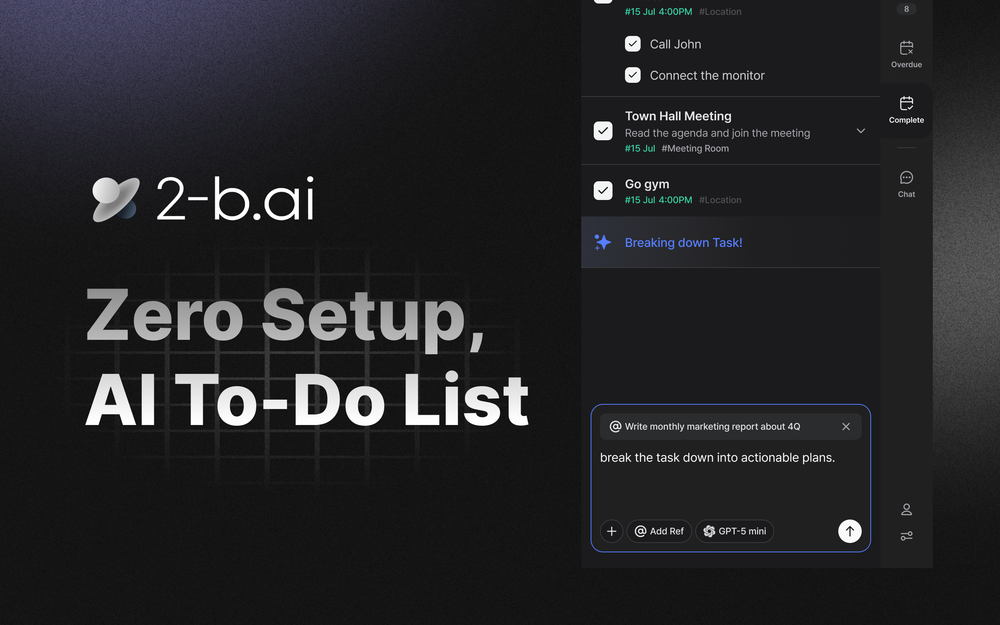
Todoist meets ChatGPT inside your browser
2-b.ai is an innovative browser extension that combines AI-powered assistance with task management, essentially bringing together the functionality of Todoist and ChatGPT directly into your browser. Built to work seamlessly with most web-based pages including Gmail, Google Docs, and Notion, it allows users to turn any web context into a managed task with a simple drag action. The extension features GPAI-compliant AI models with verified copyright protection, ensuring secure and reliable AI operations for all your productivity needs.
Getting started with 2-b.ai is straightforward and requires zero setup. Here's how to use this AI-powered To-Do list extension:
1. Install the Extension - Download 2-b.ai from the Chrome Web Store and add it to your browser with one click.
2. Create Tasks from Any Context - Simply drag any content from web pages like Gmail, Google Docs, or Notion to instantly turn it into a managed task.
3. Use AI Chat - Interact with the AI assistant to create, delete, refine, and organize your tasks effortlessly.
4. Connect Google Calendar - Import your existing schedule from Google Calendar to bring all your tasks into one unified view.
5. Break Down Tasks - Utilize AI-powered task breakdown to split complex projects into manageable subtasks automatically.
AI-Powered Task Creation - Turn any web content into a managed task with a simple drag action, powered by intelligent AI processing.
AI Chat Assistant - Create, delete, modify, and organize tasks through natural language conversations with the built-in AI.
Google Calendar Integration - Import and sync your schedule from Google Calendar to manage all your tasks in one place.
Smart Task Breakdown - Automatically break down complex tasks into smaller, actionable subtasks using AI reasoning.
Browser-Native Experience - Works directly in your browser on most web-based pages including Gmail, Google Docs, and Notion.
GPAI-Compliant AI - Uses only verified and secured AI models that comply with EU AI regulations for privacy and copyright protection.
Cross-Platform Compatibility - Compatible with most major browsers, bringing task management wherever you browse.
#1 Email Task Management - Quickly convert important emails from Gmail into actionable tasks without leaving your inbox, ensuring nothing falls through the cracks.
#2 Document-Based Project Planning - While working in Google Docs or Notion, instantly create tasks from meeting notes, project briefs, or research documents.
#3 Personal Productivity - Use AI chat to organize daily tasks, set priorities, and get smart suggestions for breaking down complex goals into achievable steps.
#4 Calendar-Integrated Scheduling - Sync with Google Calendar to view tasks alongside appointments, ensuring balanced workload distribution throughout your day.
#5 Research and Content Curation - Save interesting articles, resources, or ideas as tasks while browsing, with AI helping to categorize and prioritize them.
Does 2-b.ai work on all websites? 2-b.ai works on most web-based pages including Gmail, Google Docs, and Notion. However, it does not work on the Google main search page or inside desktop apps due to Chrome extension limitations. A desktop app is in development to support these environments.
Do I need a GPT or OpenAI account to use 2-b.ai? No, you don't need a separate GPT or OpenAI account. All AI features are included directly in 2-b.ai, making it a zero-setup solution.
Is 2-b.ai free to use? Yes, 2-b.ai offers a limited free plan with 50 AI calls and unlimited AI-powered To-Do creation. For unlimited usage and advanced features like access to advanced AI models, you can upgrade to the Pro plan.
How does 2-b.ai protect my privacy? All AI agents in 2-b.ai are built in compliance with EU AI regulations. The extension uses only GPAI-compliant models with verified and secured copyright protection to keep your personal information secure.
What integrations are available? Currently, you can import tasks from Google Calendar. More integrations are being developed to bring all your work tools into one unified task management experience.