
AI Mode API
Query Google’s AI Mode as a simple, programmable API
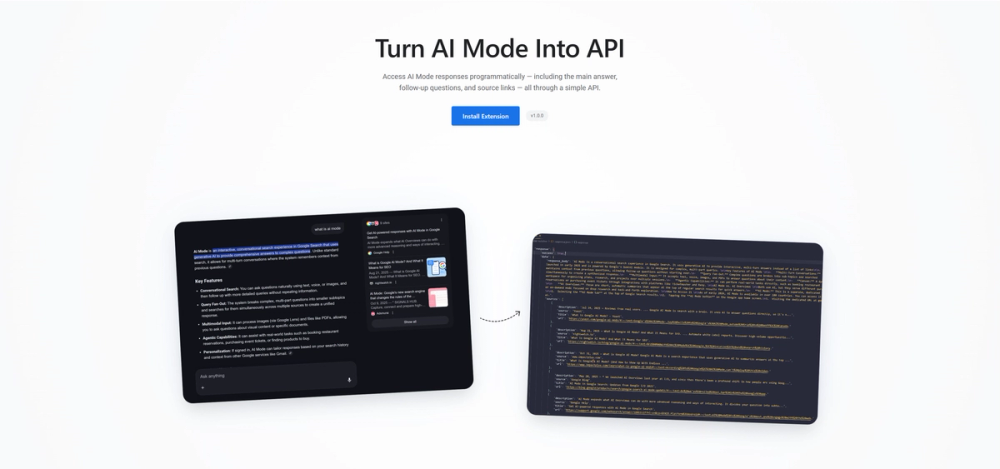
What is AI Mode API?
How to use AI Mode API?
Features
Use Cases
FAQ
Pricing
Free Plan
Free Forever
Query Google’s AI Mode as a simple, programmable API
AI Mode API is a browser extension that transforms Google's AI Mode into a programmable API endpoint. It allows developers to access AI Mode responses programmatically, including the main AI-generated answer, follow-up questions, and source links. The extension runs locally in your browser and provides structured JSON responses for research, monitoring, and automation purposes. It works with any Chromium-based browser and requires no Google account login.
Getting started with AI Mode API is straightforward with just three simple steps.
1. Install the browser extension - Download and install the AI Mode API Extension from the GitHub releases page. It works with any Chromium-based browser including Chrome, Edge, Brave, and Arc.
2. Get your API endpoint - Once installed, the extension provides you with a local API endpoint that you can use to make queries.
3. Start making queries - Send requests to the API endpoint from your terminal, scripts, applications, or automation tools and receive structured JSON responses containing the AI answer, follow-up questions, and source links.
4. Parse the response - Each API response includes three parts: the main AI-generated answer, suggested follow-up questions, and source links that AI Mode references.
Browser Extension Architecture - Runs locally in your browser, ensuring privacy and control over your queries without any server-side processing.
Structured JSON Responses - Returns well-formatted JSON containing the AI-generated answer, suggested follow-up questions, and source links for easy parsing and integration.
Research & Analysis Support - Query AI Mode for research projects and get structured answers with source citations in one response.
Brand & Content Monitoring - Check if your website, brand, or content appears in AI Mode responses and source links for specific queries.
SEO & Marketing Insights - Understand how AI Mode surfaces information for your industry or keywords and see which sources it considers most relevant.
Cross-Browser Compatibility - Works with any Chromium-based browser including Chrome, Edge, Brave, Arc, and more.
Privacy-Focused Design - No queries are logged or stored; requests pass through the relay without being retained.
#1 Automated Research - Researchers can programmatically query AI Mode to gather information on specific topics, receiving structured answers with source citations for academic or market research projects.
#2 Brand Monitoring - Marketing teams can track how their brand or website appears in AI Mode responses, helping them understand their visibility in AI-powered search results.
#3 SEO Analysis - SEO professionals can analyze which sources AI Mode considers most relevant for specific keywords, helping optimize content strategy for AI-powered search.
#4 Content Verification - Content creators can check if their published articles and websites are being referenced as sources in AI Mode responses.
#5 Competitive Intelligence - Businesses can monitor how competitors are being represented in AI Mode answers for industry-relevant queries.
What browsers are supported? - The AI Mode API Extension works with any Chromium-based browser, including Google Chrome, Microsoft Edge, Brave, Arc, and similar browsers.
Is this tool free to use? - Yes, AI Mode API is completely free to use with no subscription or payment required.
Are there rate limits? - Yes, since this relies on browser-based AI Mode access, there are rate limits similar to using AI Mode manually. This makes it best suited for research and monitoring rather than high-volume production use.
Does it require a Google account? - No, you don't need to be logged into a Google account to use the extension and extract data from AI Mode.
Is my data stored or logged? - No, nothing is logged or stored. Your queries pass through the relay without being retained, ensuring complete privacy.