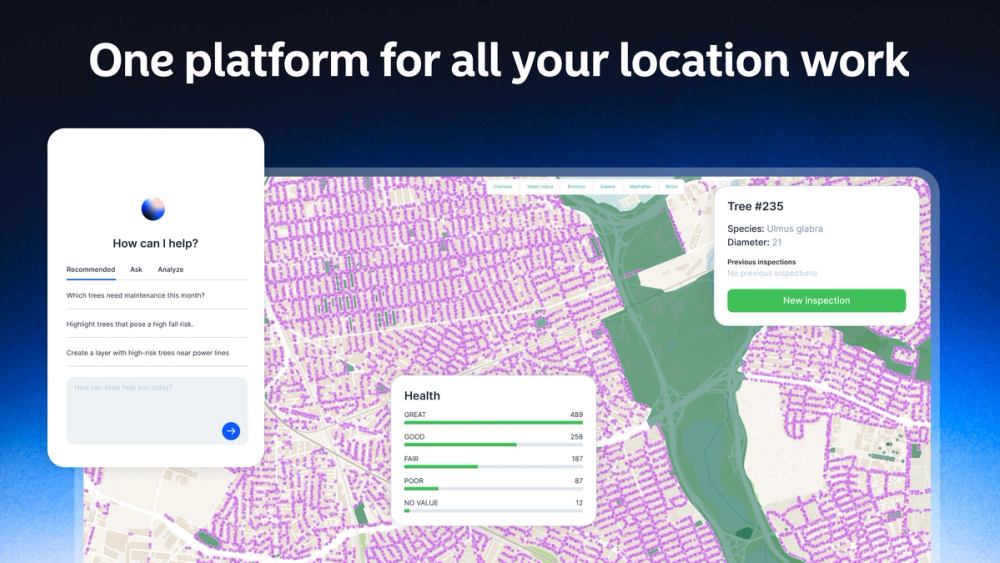
The AI agent for maps and spatial data
Atlas is an AI-powered mapping platform that enables anyone to create interactive maps, perform spatial analysis, and build location-based applications without requiring GIS expertise. Developed by a Norwegian startup, Atlas transforms how professionals work with geographic data by using natural language processing to translate plain text queries into sophisticated map visualizations. The platform serves as a comprehensive solution for teams in real estate, energy, retail, urban planning, and other industries where location data drives critical business decisions.
Getting started with Atlas is straightforward and designed for users of all skill levels.
1. Sign Up for Free - Create your Atlas account at no cost to access the Starter plan with core mapping features.
2. Describe Your Map - Use the AI-powered input field to describe what you want to create in plain language, such as "Create a fire station placement analysis for Miami-Dade County."
3. Import Your Data - Upload your own datasets or connect to external sources like Google Sheets, Airtable, PostgreSQL, and other databases.
4. Customize and Analyze - Use the visual editor to style your map, add layers, run spatial analyses like travel time calculations, and apply geocoding.
5. Share and Collaborate - Invite team members to edit or view your maps, embed them on websites, or export as images and PDFs.
AI-Powered Map Creation - Use natural language to describe your mapping needs and let the AI agent build interactive maps instantly.
Spatial Analysis Tools - Perform advanced geospatial operations including travel time analysis, routing, geocoding, and location-based queries.
Real-Time Collaboration - Work together with your team on the same map with live updates and shared editing capabilities.
Data Visualization - Create choropleth maps, heatmaps, point clusters, and other visualization types to reveal patterns in your data.
Workflow Automation - Build automated processes with 77+ nodes, scheduled triggers, and webhook integrations for repetitive mapping tasks.
Multi-Source Connectivity - Connect to Google Sheets, Smartsheet, Airtable, PostgreSQL, MySQL, BigQuery, Snowflake, and other data platforms.
No-Code Builder Mode - Design custom spatial applications with forms, widgets, and interactive elements without writing any code.
#1 Real Estate Portfolio Management - Visualize property locations, analyze market trends, and create interactive dashboards for investment decision-making.
#2 Retail Site Selection - Identify optimal store locations by analyzing demographics, competitor proximity, foot traffic patterns, and travel time catchment areas.
#3 Energy Infrastructure Planning - Map power plants, assess wind farm sites, and plan solar panel installations with terrain and environmental data overlays.
#4 Urban Planning and Public Services - Analyze fire station coverage gaps, optimize emergency response routes, and manage city infrastructure assets on interactive maps.
#5 Climate Risk Assessment - Visualize environmental data, track sustainability metrics, and assess geographic vulnerabilities for climate-related planning.
#6 Franchise Territory Mapping - Define and manage franchise territories, analyze market potential, and visualize coverage areas for expansion strategies.
Is Atlas suitable for users without GIS experience? Yes, Atlas is specifically designed to make mapping accessible to non-experts. The AI-powered interface allows you to create maps using plain language descriptions, eliminating the need for technical GIS knowledge.
Can I use my own data with Atlas? Absolutely. Atlas supports importing vector, raster, and tabular data in over 10 formats. You can also connect directly to databases like PostgreSQL, BigQuery, and cloud services like Google Sheets and Airtable.
Is there a free plan available? Yes, the Starter plan is free forever and includes up to 3 projects, 3 editors, 1 GB storage, 5,000 geocoding runs per month, and core mapping features.
Can I share maps publicly? Yes, every Atlas project is private by default but can be shared publicly via link. Public maps support unlimited free viewers and commenters on all plans.
What kind of support does Atlas offer? Atlas provides help center documentation and community resources for all users. Pro and Team plans include in-app support, while Enterprise customers receive priority support and a dedicated account manager.