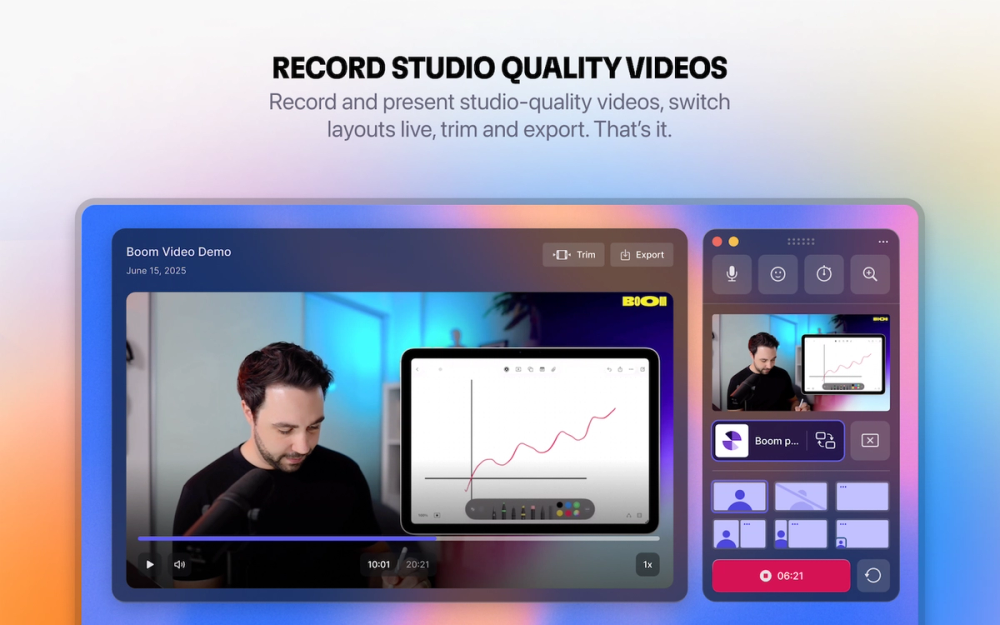
Present live, record your screen, look pro on camera
Boom video for Mac is a professional video presentation and screen recording app designed for serious presenters, coaches, creators, and consultants who want to deliver polished live presentations without the complexity of OBS or video editing. Featured in TechCrunch and ranked #1 on Product Hunt, Boom transforms standard video calls into engaging, produced-looking presentations with dynamic layouts, cinematic zoom controls, and branded overlays. The Mac-native app works seamlessly with Zoom, Google Meet, Microsoft Teams, and other video platforms, eliminating those awkward "can you see my screen?" moments while making every presentation look professional.
Boom video for Mac provides a streamlined workflow for creating professional presentations and screen recordings without complex setup or editing.
Getting Started:
Dynamic Layout Switching Instantly switch between camera-only, side-by-side, and screen layouts during live presentations without screen sharing hassles.
Cinematic Zoom Controls Zoom into any part of your screen with a click or keyboard shortcut to guide your audience's attention like a professional broadcast.
Branded Overlays & Customization Add your logo, lower thirds, custom backgrounds, and branded elements to look professional and on-brand in every presentation.
One-Click Screen Recording Record live sessions and screen presentations directly to polished videos without any post-production editing required.
Universal Video Platform Support Works seamlessly as a virtual camera with Zoom, Google Meet, Microsoft Teams, and any video conferencing platform.
Mac-Native Performance Built specifically for macOS with optimized performance, native integration, and intuitive controls that feel natural to Mac users.
No Editing Required Present and record like a pro without learning complex tools like OBS or spending hours in video editing software.
#1 Online Coaches & Trainers Perfect for delivering engaging coaching sessions, masterclasses, and training programs with professional layouts and screen controls.
#2 Content Creators & YouTubers Ideal for recording polished tutorials, course content, and video content without spending hours in editing software.
#3 Sales & Demo Professionals Great for product demonstrations, sales presentations, and client calls that need to look professional and keep prospects engaged.
#4 Consultants & Advisors Excellent for client presentations, strategy sessions, and advisory calls where credibility and professionalism matter.
#5 Remote Teams & Educators Useful for team presentations, virtual meetings, online teaching, and webinars that require clear visual communication.
#6 SaaS & Product Teams Valuable for product walkthroughs, feature announcements, and customer onboarding sessions with cinematic screen focus.
Is Boom video only for Mac? Yes, Boom video is specifically designed and optimized for macOS to provide the best native performance and user experience.
Does Boom work with Zoom and other video platforms? Absolutely! Boom works as a virtual camera with Zoom, Google Meet, Microsoft Teams, and any platform that supports camera inputs.
Do I need video editing skills to use Boom? No editing skills needed. Boom is designed so you can present and record professional-looking videos without any post-production work.
Can I use Boom for screen recording without live presentations? Yes, Boom works perfectly for both live presentations and standalone screen recordings with all the same professional features.
Is there a free trial available? Yes, you can try Boom video for Mac free to test all features before committing to a paid plan.