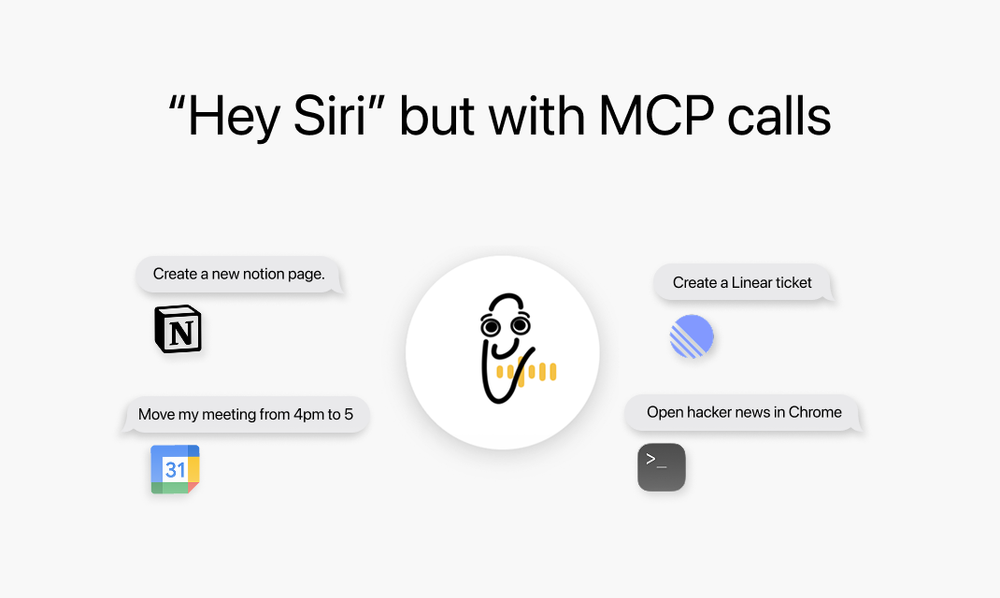
"Hey Siri" with MCP calls and local LLM
Clippy, but on Steroids is a powerful macOS voice assistant that transforms how you interact with your computer by combining voice-first productivity with AI capabilities. Built as a modern "Hey Siri" alternative, it enables users to execute commands, write content, and control applications using natural voice interactions. The tool runs locally on your machine while supporting MCP (Model Context Protocol) calls for extended functionality, making it an ideal companion for developers and productivity enthusiasts who want hands-free AI assistance without compromising privacy.
Voice-First Productivity - Write and edit content 5x faster using natural voice commands across any application on your Mac.
Cross-Application Integration - Works seamlessly with popular tools including Cursor, Terminal, Mail, WhatsApp, Slack, Gmail, Notion, Arc browser, and ChatGPT.
Local LLM Support - Run AI models locally on your computer for privacy-focused assistance without sending data to external servers.
MCP Protocol Integration - Leverages Model Context Protocol for standardized connections to databases, APIs, and external services.
GPT-Powered Editing - Edit and refine content using GPT capabilities through voice or text commands without leaving your current application.
Invisible Until Needed - Stays hidden when not in use and activates instantly when called, keeping your workspace clean and distraction-free.
Zero Latency Response - Designed for immediate response to commands, making voice interactions feel natural and efficient.
#1 Hands-Free Coding Assistance - Developers can use voice commands to write code, navigate terminals, debug issues, and interact with development tools like Cursor without taking hands off the keyboard for context-switching.
#2 Email and Communication Management - Quickly compose, edit, and send emails or messages across Mail, Gmail, WhatsApp, and Slack using voice dictation and AI-powered suggestions.
#3 Research and Note-Taking - Students and researchers can capture ideas, organize notes in Notion, and conduct searches while keeping focus on primary tasks.
#4 Content Creation Workflow - Writers and content creators can draft articles, edit copy, and refine messaging using voice commands integrated with their preferred writing applications.
#5 Productivity Automation - Power users can chain MCP calls to automate repetitive tasks, query databases, and integrate with APIs using natural language instructions.
Is Clippy, but on Steroids free to use? Yes, the application is available for free download on macOS. It runs entirely locally on your machine without requiring a subscription or cloud service fees.
Does it work offline? Yes, with local LLM support, you can use voice commands and AI assistance without an internet connection. MCP integrations that connect to external services will require connectivity.
What makes it different from Siri? Unlike Siri, Clippy offers deep integration with productivity applications, supports local LLMs for privacy, and enables MCP protocol connections for developer workflows and custom automations.
Which macOS versions are supported? Clippy is designed for modern macOS systems. Check the official download page for specific version requirements and compatibility information.
Can I use my own AI models? Yes, the local LLM support allows you to configure and run your preferred models, giving you control over AI capabilities and ensuring data stays on your device.