LogoHelloAITools
  • Categories
  • Collection
  • Blog
  • Pricing
  • Submit
LogoHelloAITools
  1. Home
  2. Products
  3. FiloMail for Android
FiloMail for Android

FiloMail for Android

AI Gmail client that turns emails into clear tasks

UpdatedJan 21, 2026
URLfilomail.com
PricingFree & Paid
AI ProductivityAI Writing#Mobile App#Freemium#For Business#AI Agent#Workflow Automation
Screenshot of FiloMail for Android
Visit Website

What is FiloMail for Android?

How to use FiloMail for Android?

Features

Use Cases

FAQ

Pricing

Free Plan

$0/month
  • Essential email features
  • Limited AI summaries per day
  • Limited to-dos per day
  • Up to 3 Smart Labels
  • Up to 3 Writing Styles
  • Basic AI models

Plus Plan

$7/month (billed annually at $84/year)
  • Everything in Free plan
  • More daily summaries and to-dos
  • Thinking Mode for deeper replies
  • Up to 20 Smart Labels
  • More Writing Styles
  • Advanced AI models
  • VIP 1-on-1 dedicated support
  • Plus access on desktop and mobile
  • 30-day free trial available
LogoHelloAITools

Discover the best AI tools for your needs.

Product
  • Browse All
  • Collection
Resources
  • Blog
  • Pricing
  • Submit
Company
  • Privacy Policy
  • Terms of Service
  • Sitemap
Copyright © 2026 All Rights Reserved.

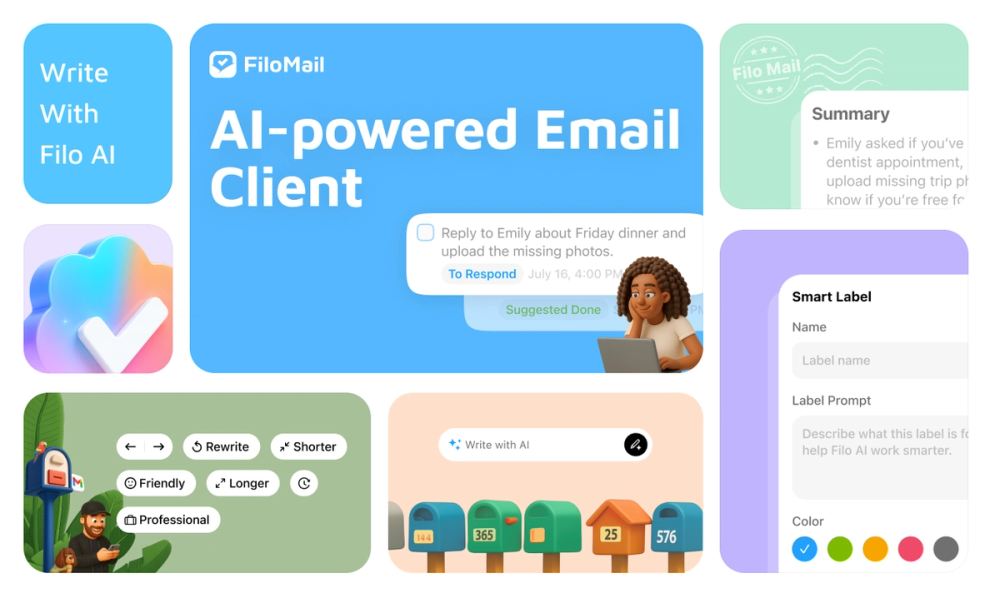
FiloMail for Android is an AI-powered email client that transforms your Gmail inbox into an organized, task-focused productivity system. The app uses advanced AI models including ChatGPT, Gemini, and Claude to automatically summarize email threads, extract actionable to-dos, and filter out noise so you can focus on what matters. Available on Android, iOS, macOS, and Windows, FiloMail is designed for professionals who want to reclaim their time from email overload while maintaining full control over their data with CASA Tier 3 verified security.

  1. Download FiloMail for Android from the app store and install it on your device
  2. Connect your Gmail account using secure OAuth authentication
  3. Allow FiloMail to analyze your inbox and automatically categorize emails using AI
  4. View AI-generated summaries of long email threads to quickly grasp key points
  5. Let the app extract to-dos and deadlines from your emails automatically
  6. Create Smart Labels and Smart Filters using natural language prompts to organize incoming mail
  7. Use AI-powered instant replies to craft professional responses that match your writing style
  8. Convert important emails into tasks with due dates, priority levels, and calendar sync
  • Auto-Summary: Condenses long email threads into clear, actionable takeaways so you can understand messages in seconds
  • Instant-Write AI: Crafts professional email replies instantly using AI that adapts to your personal writing style
  • Smart Labels & Filters: Automatically categorizes and sorts messages using natural language prompts you create
  • To-Do Extraction: Automatically identifies deadlines, meeting invitations, and follow-ups from your emails
  • AI Translate: Provides fast, accurate translations across 13 languages for seamless global communication
  • Task Agent: Handles follow-ups, reminders, and next steps automatically so nothing important slips through
  • Natural Language Commands: Simply tell FiloMail what you need like "archive all marketing emails" and it executes

#1 Busy Executives Managing High Email Volume Executives receiving hundreds of emails daily can use FiloMail to automatically surface critical messages while filtering newsletters and promotional content to the background, reclaiming hours of productive time each week.

#2 Sales Teams Tracking Client Communications Sales professionals can automatically extract client requests, follow-up tasks, and deal deadlines from correspondence without manual note-taking, ensuring no opportunity falls through the cracks.

#3 Project Managers Coordinating Distributed Teams Project managers benefit from automatic task extraction and deadline tracking across email threads, keeping projects on schedule without constant inbox monitoring.

#4 Global Remote Teams Across Time Zones International teams leverage built-in translation across 13 languages and time-sensitive notifications to collaborate effectively regardless of location.

#5 Productivity-Focused Professionals Anyone seeking to minimize inbox distractions can use FiloMail to transform email from a constant interruption into a calm, organized to-do list that supports focused work.

Is my email data safe with FiloMail? Yes, FiloMail is CASA Tier 3 verified, the highest security standard. Your emails are never stored on FiloMail servers and are never used to train AI models. You maintain full control and can revoke access or permanently wipe data at any time.

Which email providers does FiloMail support? FiloMail currently works exclusively with Gmail accounts. The app connects securely via OAuth authentication without requiring your password.

What AI models power FiloMail? FiloMail uses industry-leading AI including ChatGPT, Gemini, and Claude to provide summaries, write replies, and manage your inbox intelligently.

Can I use FiloMail on multiple devices? Yes, FiloMail is available on Android, iOS, macOS, and Windows. Your inbox follows you across all your devices with the Plus plan.

Is there a free trial available? Yes, the Plus plan includes a 30-day free trial with no commitment required. You can cancel anytime.