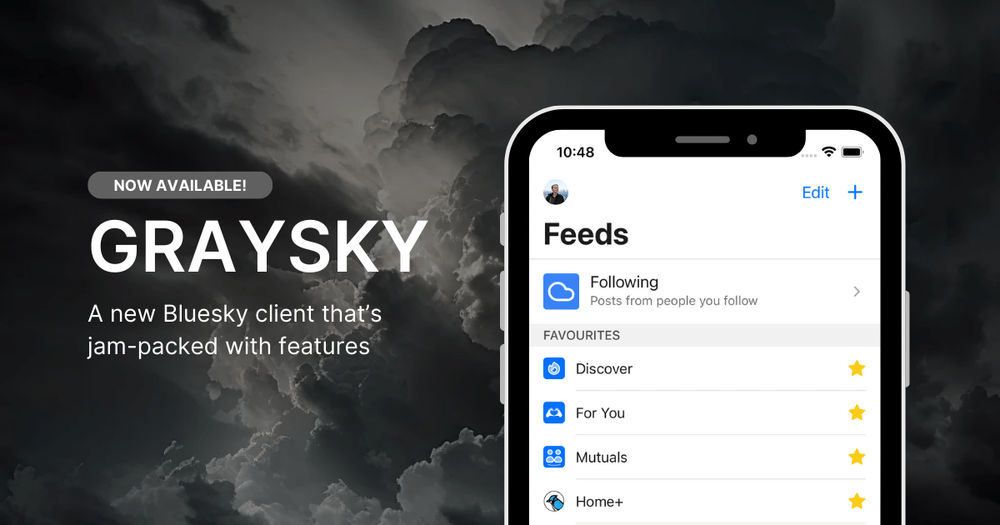
A faster alternative client for Bluesky
Graysky 2.0 is a feature-rich third-party mobile client for Bluesky, designed to enhance your social networking experience with powerful tools and thoughtful design. Developed by Samuel Newman, who later joined Bluesky's core team, Graysky has become one of the most popular alternative clients for the decentralized social network. Available for both iOS and Android, it offers "the same content, more features" with a feed-first approach that puts your custom feeds front and center. The app combines elegant design with practical functionality, earning praise from users who describe it as "objectively better" than the official Bluesky client.
Download Graysky from the App Store (iOS) or Google Play Store (Android) - the app is free to download with optional Pro features.
Log in using your existing Bluesky account credentials, or create an App Password in Bluesky settings for enhanced security and restricted access.
Explore the feed-first interface where your custom feeds are prominently displayed and easily manageable, allowing you to switch between different content streams seamlessly.
Enable push notifications to stay updated with mentions, likes, and replies in real-time without constantly checking the app.
Customize your experience with features like inline translations, GIF posting, hashtag support, and the ability to view anyone's likes, not just your own.
Upgrade to Graysky Pro (optional) for premium features including DeepL-powered translations and custom theme colors to personalize your interface.
Push Notifications - Stay connected with real-time alerts for mentions, likes, replies, and other important interactions
Feed-First Design - Browse and manage your custom Bluesky feeds with an interface that prioritizes your curated content streams
Inline Translations - Translate posts from multiple languages without leaving the app, with Pro users getting enhanced DeepL translations
GIF Support - View and post animated GIFs directly within the app for more expressive communication
Hashtag Support - Create and interact with clickable hashtags to discover trending topics and join conversations
View Anyone's Likes - See what any user has liked, not just your own likes, for better content discovery
Custom Themes - Pro subscribers can set custom theme colors to personalize the app's appearance to their preferences
#1 Enhanced Social Networking - Power users who want more control over their Bluesky experience can leverage Graysky's advanced feed management, custom themes, and comprehensive feature set to create a personalized social media environment
#2 Multilingual Communication - International users and polyglots benefit from built-in inline translations that make cross-language interactions seamless, with Pro users getting access to high-quality DeepL translations
#3 Content Discovery - Researchers, journalists, and curious users can explore what others are liking and sharing, using hashtags and feed curation to discover trending topics and interesting accounts
#4 Professional Networking - Business professionals and creators use Graysky to manage multiple custom feeds for different topics, monitor industry conversations, and engage with their audience through rich media like GIFs
#5 Android Optimization - Android users specifically praise Graysky for its polished mobile experience, with many considering it superior to the official Bluesky app for Android devices
#6 iPad Experience - iPad users leverage Graysky's tablet-optimized interface for a beautiful, functional Bluesky experience designed specifically for larger screens
What's Graysky then? It's a feature-packed third-party client for Bluesky that offers the same social network content but with significantly more features and quality-of-life improvements. It includes inline translations, GIF support, enhanced feed management, and hundreds of thoughtful design touches.
Is it safe to log in with my Bluesky account? Yes, Graysky is safe to use. For maximum security, it's recommended to create an App Password in your Bluesky settings, which restricts how much access the app has to your account while still providing full functionality.
What's the difference between free and Pro? The free version of Graysky includes all core features like push notifications, feed management, GIFs, and basic translations. Pro subscribers ($4.99/month or $49.99/year) get enhanced DeepL translations and the ability to customize theme colors.
Does Graysky work on both iOS and Android? Yes, Graysky is available for both platforms. It's particularly popular among Android users who find it more polished than other Bluesky clients, and it's also optimized for iPad with a beautiful tablet interface.
What happened to Graysky's development? In March 2024, creator Samuel Newman joined Bluesky's core team. While he continues to maintain Graysky and keep it functional, ambitious new features are no longer being added as he focuses on improving the official Bluesky app.