
Instruct 2.5
Connect apps, describe the job, then automate your work
What is Instruct 2.5?
How to use Instruct 2.5?
Features
Use Cases
FAQ
Pricing
Free
$0
- Basic automation
- Limited tasks
Popular
Pro
Contact Sales
- Unlimited automation
- Priority support
Connect apps, describe the job, then automate your work
Instruct AI is a powerful work automation platform that acts as a digital employee, connecting to your apps and executing tasks on your behalf. Simply describe your work in plain English, and watch it get done in real-time across your connected tools. The platform is designed for teams across education, recruiting, sales, and operations, enabling seamless workflow automation without technical expertise.
Instruct AI enables users to automate work by simply describing tasks in natural language. The AI agent handles all the manual execution across your connected applications.
Getting Started:
Natural Language Task Execution Describe any task in plain English and watch it get done automatically across your connected apps.
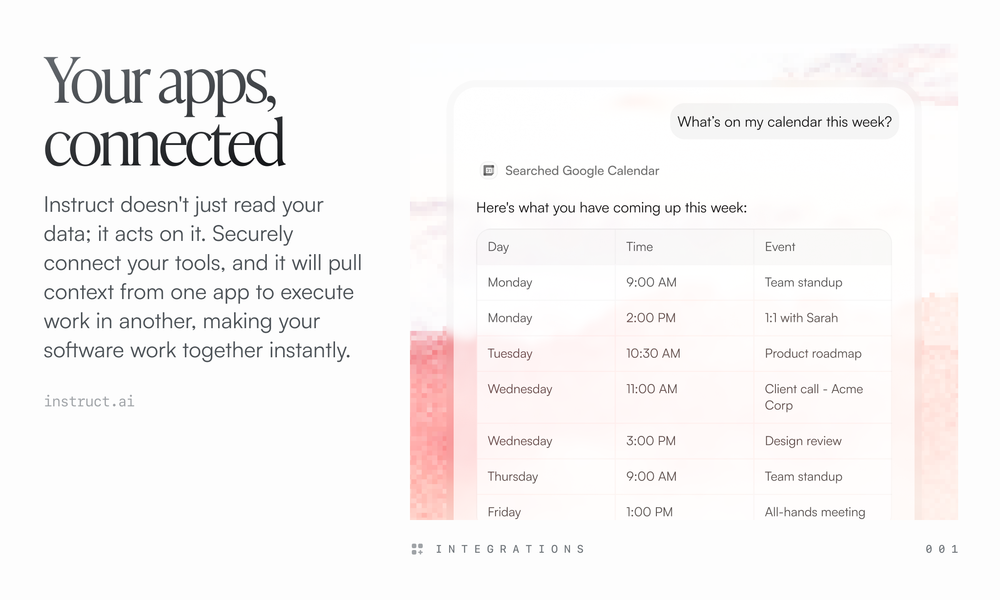
Multi-App Integration Securely connect your tools and let Instruct pull context from one app to execute work in another.
Automatic Workflow Creation Turn any successful task into a permanent, recurring workflow with a simple request.
Cross-Platform Data Handling Read, write, edit, fetch data, and generate documents across all your connected applications.
Real-Time Task Monitoring Watch your tasks being executed in real-time with full visibility into each step.
Department-Specific Automation Adapts to unique needs of education, recruiting, sales, operations, and more.
#1 Sales Teams Monitor CRM for leads that haven't replied, research company news, and draft personalized follow-ups automatically.
#2 Recruiting Departments Filter through job applications, identify qualified candidates based on criteria, and manage shortlists effortlessly.
#3 Education Professionals Generate revision quizzes from lecture notes, create study materials, and automate administrative tasks.
#4 Operations Teams Extract invoice data from emails, organize documents, and maintain expense spreadsheets automatically.
#5 Marketing Teams Gather data from multiple sources, generate reports, and automate repetitive marketing workflows.
What apps does Instruct integrate with? Instruct connects with popular business tools including Google Drive, HubSpot, Ashby, email platforms, and many more. The platform is designed to make your existing software work together seamlessly.
Do I need coding skills to use Instruct? Not at all. Simply describe what you need in plain English, and Instruct handles all the technical execution across your connected apps.
Is there a free plan available? Yes, Instruct offers a free plan to get started. You can sign up and start automating your work in minutes.
Can Instruct run tasks automatically on a schedule? Yes. Once Instruct completes a task successfully, you can ask it to run on a schedule, turning your one-off request into a recurring workflow.
Is my data secure with Instruct? Instruct uses secure connections to your apps and follows industry-standard security practices to protect your data.